
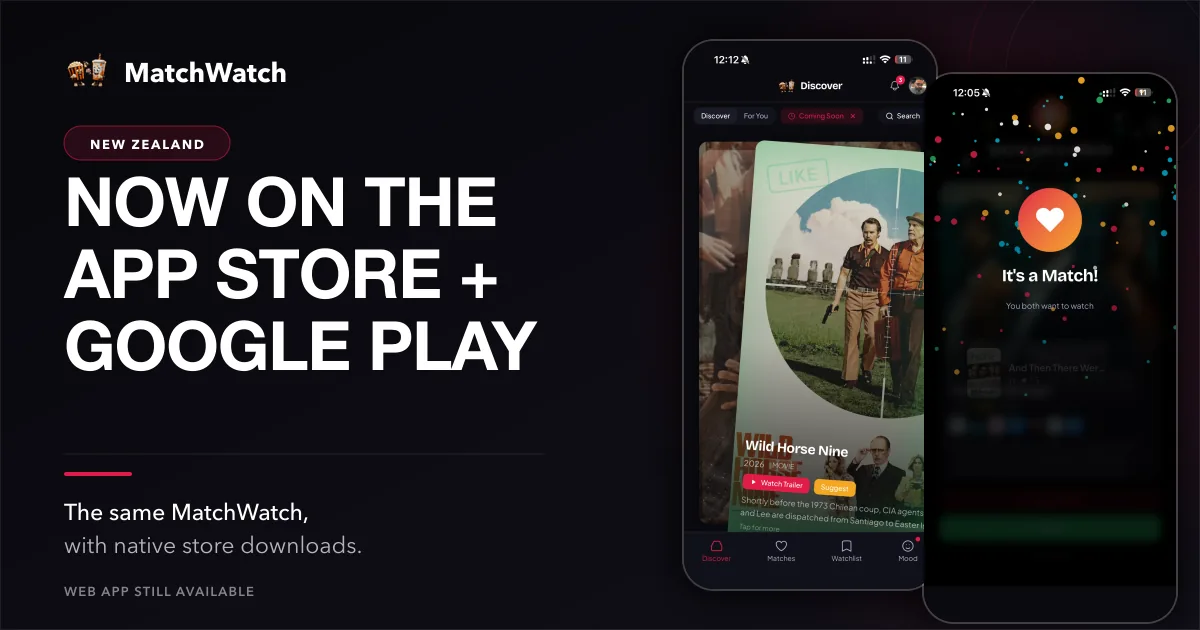
New Zealand watch nights now have two more straightforward ways to get to MatchWatch. The app is available through the App Store and Google Play, while the responsive web app remains available alongside the installable progressive web app for anyone who would rather use a browser or a Home Screen shortcut. This is a store-distribution launch, not a claim that MatchWatch only now works on phones. It has already been usable on a mobile browser. The practical difference is that you can choose the version that fits the device already in your hand before the group chat starts asking what everybody feels like.
MatchWatch was released on Apple’s App Store on 17 August 2026. The current App Store version is 1.0.1, updated on 18 August. If you use an iPhone or iPad, the regional New Zealand App Store listing is the direct route. Android is also available through Google Play under the public package tv.matchwatch.app. Both sit alongside the web app, rather than replacing it.
Choose the version that suits you
There is no prize for picking the most technical route. Use the App Store on iPhone or iPad if that is where you want MatchWatch to live. Use Google Play on Android if that is your usual setup. Use the web app if you do not want another installed app, are opening a shared laptop, or simply prefer a tab. MatchWatch is available on web, iPhone, iPad and Android. The choice is about how you open it, not about joining a different product or starting a separate household.
The New Zealand getting-started guide explains the current setup without treating a phone as a tiny computer project. It is useful for the first person in the group, especially if the plan is to send an invite before everyone arrives. The guide to how MatchWatch works is a good second stop when the real question is why separate swipes make a shared answer less awkward.
Your group comes with you
Sign in with Apple, Google or email. Those options connect you to the same account, group and matches across supported devices. Start on a phone during the bus ride home, then open the web app when the laptop is already on the coffee table. Or keep one person on Android and another on an iPad. The useful continuity is that the group belongs to the account, not to the icon used to open it. This does not need a grand promise about every screen updating at once. It means you can return to the same group and the matches it already holds.
That matters in a flat or family where the decision tends to begin before everyone is in the same room. One person can set up the group, another can join when they get home, and each person can make their own choices on a device that suits them. Nobody has to pass one phone around the sofa as if it were the television remote. The group result remains the point: private opinions first, a shared shortlist after enough overlap.
Built for the streaming services you use
The current New Zealand service roster in MatchWatch is Netflix, Neon, Disney+, Prime Video, Apple TV, HBO Max, Sky Go, BritBox, Hayu, TVNZ+, ThreeNow and Paramount+. The New Zealand services overview is the place to check the current regional setup and choose the services your household actually uses. Provider catalogues and plans move, so the sensible habit is to set your own services before swiping rather than assuming every title mentioned around the lounge will be in the same place tonight.
That choice is deliberately ordinary. A group with Neon and TVNZ+ does not need a deck shaped as though it has every subscription in the country. A household with Prime Video and Disney+ should be able to focus there. Selecting the relevant services gives the group a better starting point, then the separate swipes do the bit no provider catalogue can do: show which titles survive more than one person's taste.
How to start a group
- Open MatchWatch on the web, App Store version or Google Play version you prefer.
- Sign in with Apple, Google or email so the group can belong to your account.
- Create a group and share the invite with the people deciding with you.
- Choose your services, swipe separately and open the matches when the group is ready.
The steps are short because the first evening should not need a briefing. If someone joins later, they can use their preferred supported device and sign in to the same group. If the web app is already working for them, they do not need to install anything merely to prove that they are participating properly. MatchWatch is meant to take a little friction out of picking a film or show, not create a new ritual before dinner.
What comes next
What exists today is the useful bit: a regional service setup, private swipes, group matches and a final choice when several options still remain. The store release makes those current tools easier to find on iPhone, iPad and Android. The web app stays available for people who prefer no install. The best way to judge it is not by the launch screen. Try it on the evening when the takeaway is on the table and the group has four different ideas about what counts as relaxing.
A store badge is only a door. The result inside should still be a calmer way to decide together: choose the services you use, let everybody make a private call, then see what actually overlaps. If nothing matches, you have learned something honest about the room. If a few titles do, the evening can move on before somebody declares that scrolling for another twenty minutes is somehow a plan.