

Choose how to open MatchWatch
Use MatchWatch on the web, iPhone, iPad or Android. Install it if you want, or carry on in your browser.


Three steps to movie night, without the argument.
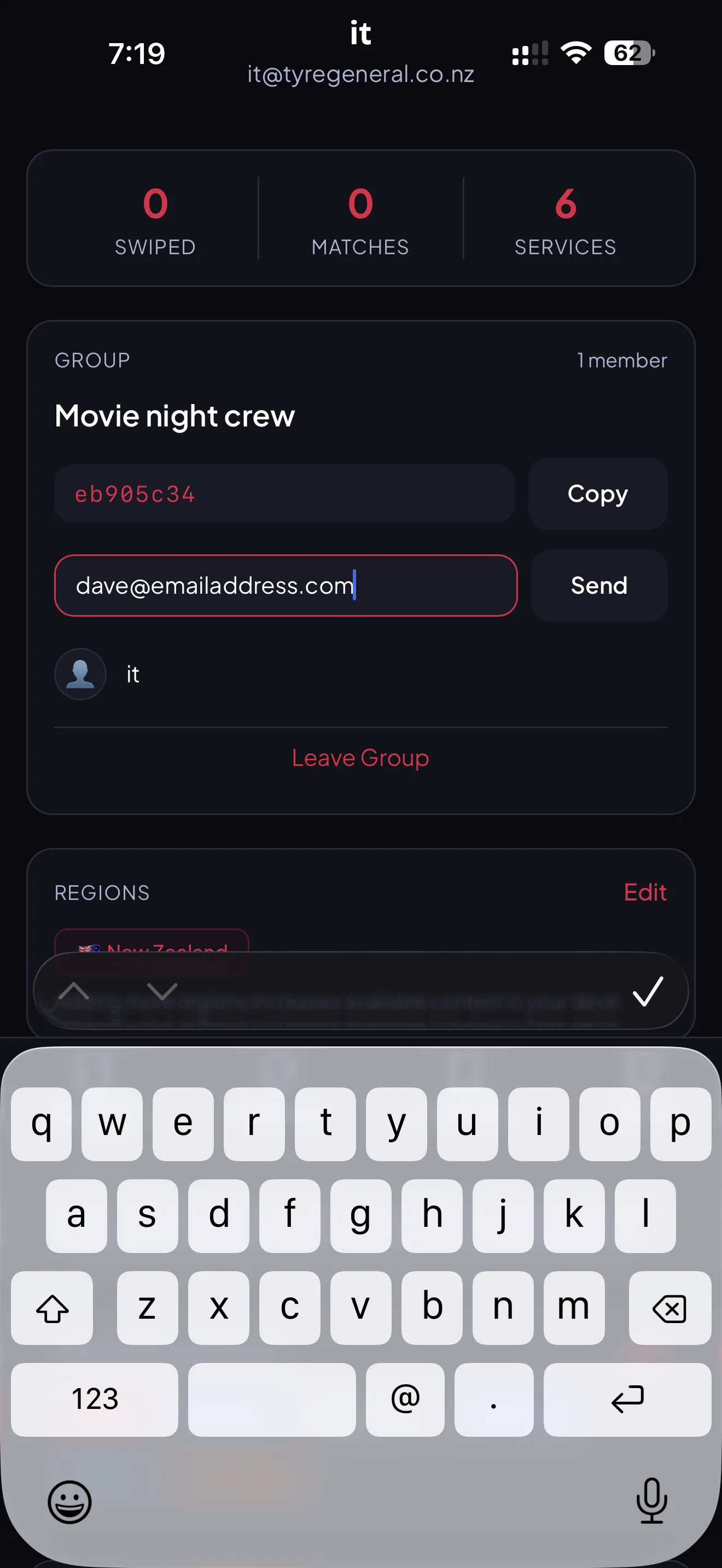
Invite your group
Create or sign in to your account, then share an invite link or code. A group can hold up to six people.
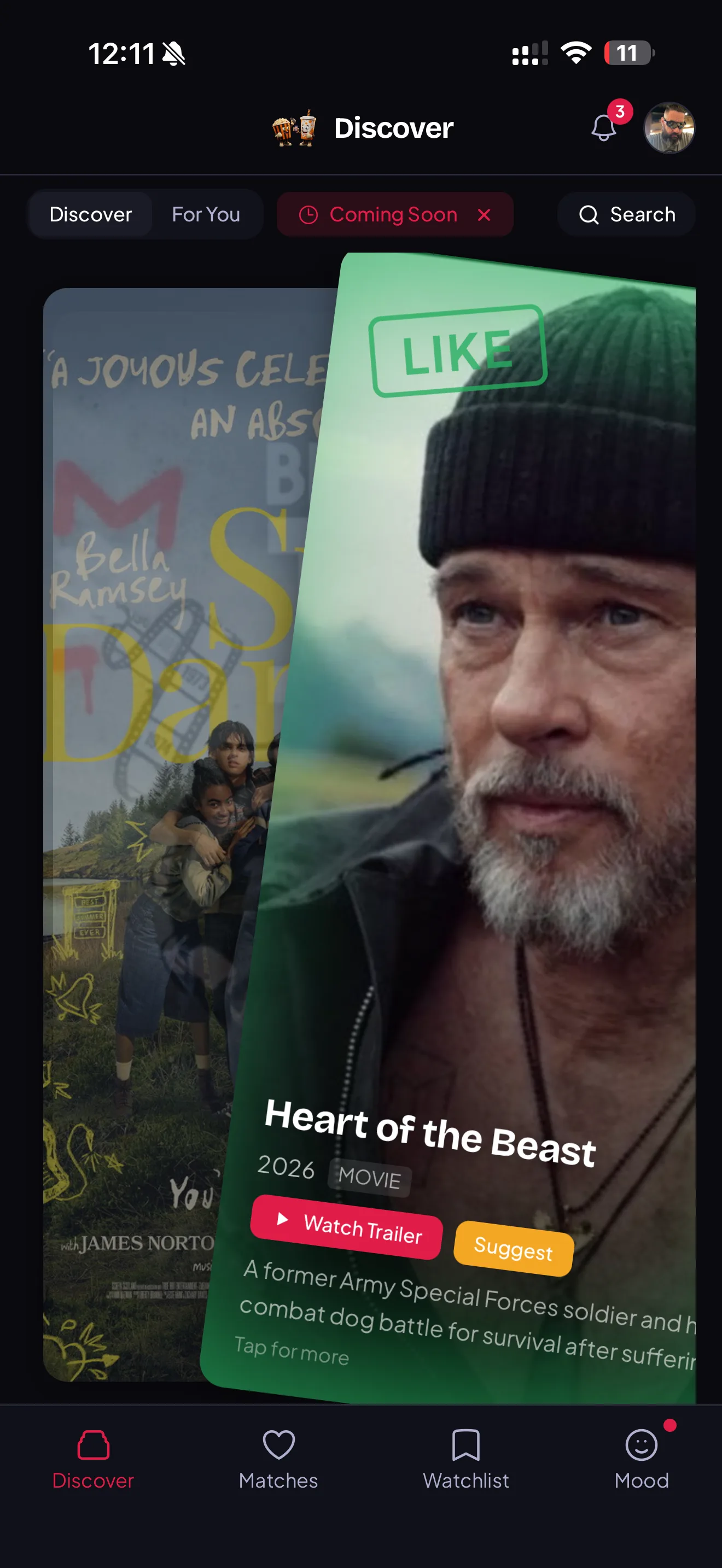
Swipe, independently
Everyone swipes on the same deck of movies and shows, but independently, on your own phone. No peeking, no influencing, no compromise.
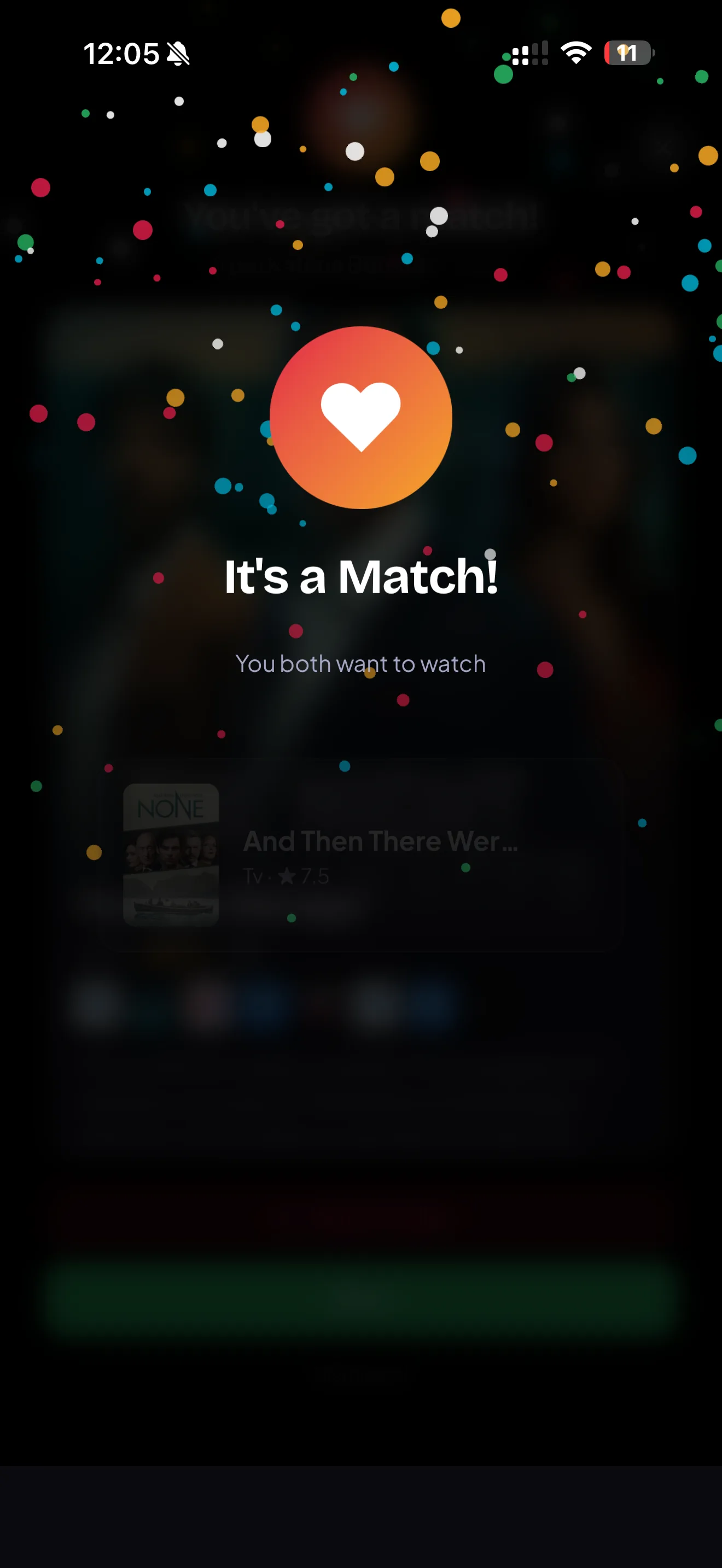
It's a match
When your group swipes right on the same title, the app tells you instantly. It shows you where to stream it. You press play.
Getting started
Choose how to open MatchWatch
Use MatchWatch on the web, iPhone, iPad or Android. Install it from the App Store or Google Play, or keep using app.matchwatch.tv in your browser.
Create your account
Sign in with Apple, Google or email. Your account keeps your group, matches and saved titles available across supported devices.
Choose your region
Select the country you are watching from. This sets which streaming services and titles appear in your deck.
Setting up your group
Create a new group
From the home screen, tap Create group and give it a name. You can have multiple groups for different households or occasions.
Invite your people
Share the invite link or code. Each person needs to create or sign in to their own account before joining, so their group and matches remain available on supported devices.
Wait for everyone to join
You will see members appear in the group view. Start swiping when everyone you want is in.
Choosing your services
Open the services screen
The current NZ list is Netflix, Neon, Disney+, Prime Video, Apple TV, HBO Max, TVNZ+, ThreeNow and Paramount+. Choose the services your household can actually open.
Select what you subscribe to
Toggle on the services your household actually has. MatchWatch will only show you titles available on those services.
Mix and match by occasion
You can update your selected services any time. Handy if someone has a friend visiting with a different subscription.
Swiping and matching
Swipe on the deck
Swipe right (or tap the heart) for titles you would watch. Swipe left (or tap the X) for ones you would not. Everyone swipes privately.
Watch the match counter
The group view shows how many people have swiped each title. When everyone in the group swipes right on the same title, it pops as a match.
Pick your match and press play
Tap a matched title to see which of your services it is on. Tap through to the streaming service and you are watching.
Moods and filters
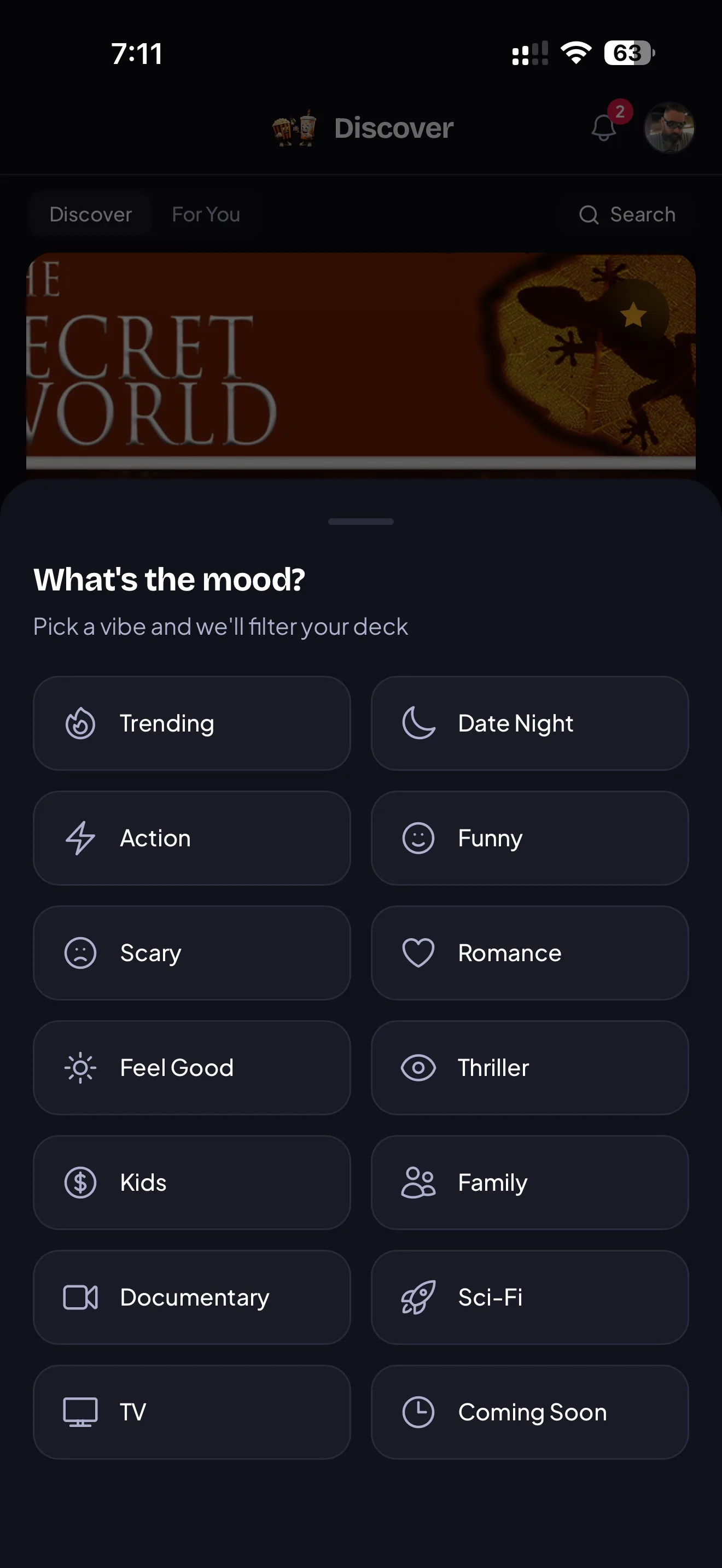
Set a mood before you swipe
Open Mood from the top of the swipe screen. Options include Date night, Something funny, Scary, Feel-good, and Kids.
Your deck refreshes to match
The deck immediately filters to titles that fit the mood. You will only swipe on relevant content, so matches come faster.
Change your mind mid-session
You can switch moods at any point. The deck updates without losing your previous swipes.
Saving to your watchlist
Save a title without matching
Long press any card in the deck and tap Save. It goes straight to your personal watchlist even if nobody else has swiped on it yet.
Access saved titles later
Open the Watchlist tab from the bottom nav. Your saves are grouped by what is already in your services.
Move a save to the group
From the watchlist, tap Suggest to group. The title gets added to the active deck so your group can swipe on it.
Adding a second region
Go to account settings
Tap your avatar in the top right and open Settings. Scroll to the Regions section.
Add an additional region
Tap Add region and select from the available countries. Your deck will then include titles from both regions.
Switch between regions per group
Each group can have its own active region. Useful if you have flatmates from different countries with different subscriptions.
Tips for a faster match
Keep your streaming services current
Review the selected services when the household adds or cancels a subscription, so the deck stays tied to titles the group can actually open.
Use mood filters before swiping
A mood gives the deck a useful boundary before everyone starts swiping. Change or clear it when the first direction is not right.
Use Pick for me if you are still stalling
If you have matched on a few titles and still cannot choose, tap Pick for me at the top of the matched list. MatchWatch picks one at random.
Free, always
No credit card, no subscription, no trial that expires. MatchWatch is free to use.
Private by design
Everyone swipes on their own phone. Nobody sees your swipes until the group lands on a match.
Built for NZ services
Your deck only shows titles on the streaming services New Zealand households actually have.
Any device
Use MatchWatch on the web, iPhone, iPad or Android. Install the app or keep the web version at app.matchwatch.tv.
It's the Trivago of streaming sites, with a bit of Tinder for good measure.