
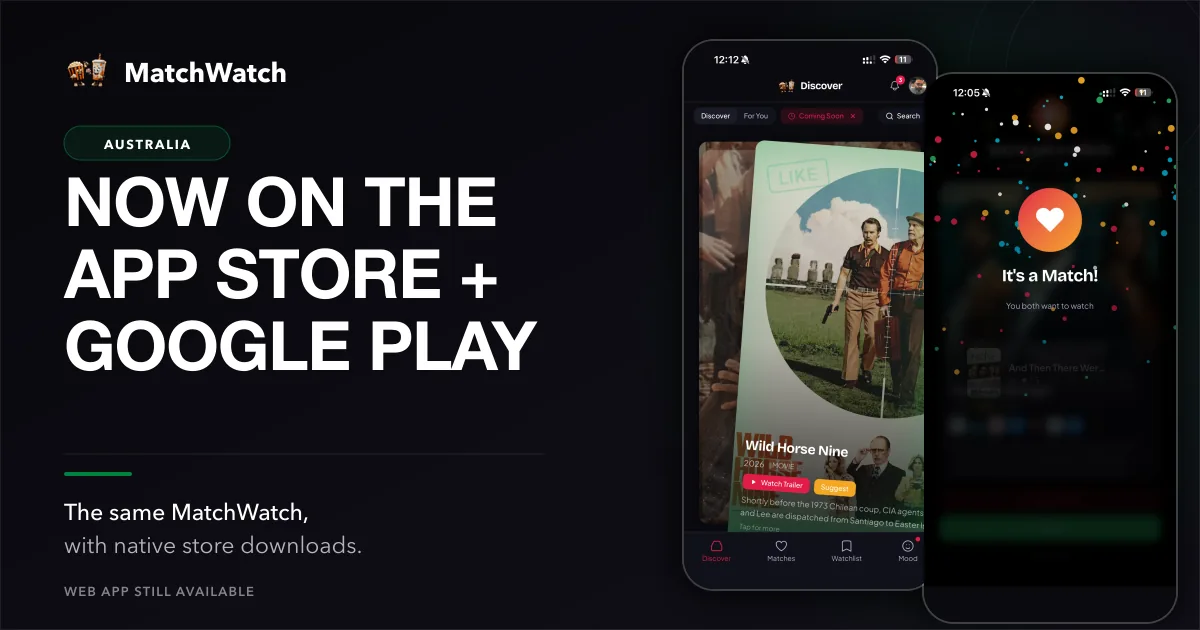
Australian households can now find MatchWatch through the App Store and Google Play, which is handy when the decision has begun on a phone before anyone has found the remote. The responsive web app has already worked on phones, and the installable progressive web app is still available for people who prefer a browser or a Home Screen shortcut. This is a store-distribution launch, not a claim that mobile support has just appeared. It gives you another sensible way to open the same product when dinner is cooling and the group has already produced three incompatible suggestions.
MatchWatch was released on Apple’s App Store on 17 August 2026. The current version is 1.0.1, updated on 18 August. The Australian App Store listing is the direct iPhone and iPad route. Android is available through Google Play under the public package tv.matchwatch.app. The web app remains available as well, so an install is a preference, not a requirement.
Choose the version that suits you
Use the App Store if you want MatchWatch on an iPhone or iPad. Use Google Play on Android. Use the web app if you prefer to keep it in a browser, are using a shared computer, or do not want another icon on the screen. MatchWatch is available on web, iPhone, iPad and Android. Each route is an entrance to the same current product, so the choice can be as uncomplicated as the device you already reach for on a Friday night.
The Australian getting-started guide walks through the present setup, from sign-in to the first group. If the sticking point is the group rule rather than the download, the Australian guide to how MatchWatch works explains why a private yes or no can be more useful than another loud round of nominations.
Your group comes with you
The current sign-in choices are Apple, Google or email. They connect you to the same account, group and matches across supported devices. One person can start from the app on a train, another can open the web app at home, and an iPad can stay on the kitchen bench for whoever is doing the choosing later. The important part is continuity of the account and group, not a claim that every device is performing a magic trick in the background.
That keeps the decision fairly normal. Create a group, invite the people involved, and let everyone choose from their own screen. A couple can use different platforms. A family can mix phones and tablets. A share house can avoid turning one person into the official keeper of the only login. Separate swipes let people be honest before the shared matches appear, which is usually kinder than asking who wants to make the first veto out loud.
Built for the streaming services you use
The current Australian service roster in MatchWatch is Netflix, Stan, Disney+, Prime Video, Apple TV, HBO Max, Binge, Kayo Sports, Paramount+, Foxtel Now, BritBox, 9Now, 7plus, ABC iview, SBS On Demand and 10. Check the Australian services overview before a group starts, then select the subscriptions and services that belong in your own lounge. Catalogues and plan details move, so the current regional list is a better starting point than a promise that a title will stay put forever.
That service choice keeps the deck useful. Someone with Stan and Binge does not need an evening spent considering every service they do not have. Someone leaning on free local options can make those part of the setup too. Once the deck reflects the household, MatchWatch has a narrower, more useful job: collect private choices and show where there is enough overlap to stop reopening Netflix for the fourth time.
How to start a group
- Open MatchWatch from the web, App Store or Google Play route you prefer.
- Sign in with Apple, Google or email to keep the group linked to your account.
- Create a group and send the invite to the people choosing with you.
- Select your services, swipe separately and look at the shared matches together.
There is no need to install the same version on every device. The group can mix the supported routes because the account is what ties it together. If one flatmate is happier using a browser, that is fine. If another has already installed the app, that is fine too. The point is to reach the shared shortlist with less discussion about the machinery than discussion about whether a comedy is actually a comedy.
What comes next
The current product is already clear enough to use: choose regional services, make private swipes, see the group matches, then make a final call from the options that remain. The store release makes the same tools easier to find on iPhone, iPad and Android. The web app stays open to anyone who prefers no install. There is no need to wait for a different version before giving it a proper go.
The store badges are useful because they shorten the path to the first group, not because they change what MatchWatch is for. It is still a small tool for a very ordinary problem. Pick the services you have, let each person choose without performing for the room, and find out whether there is a title everyone can live with before the chips become the main event.