
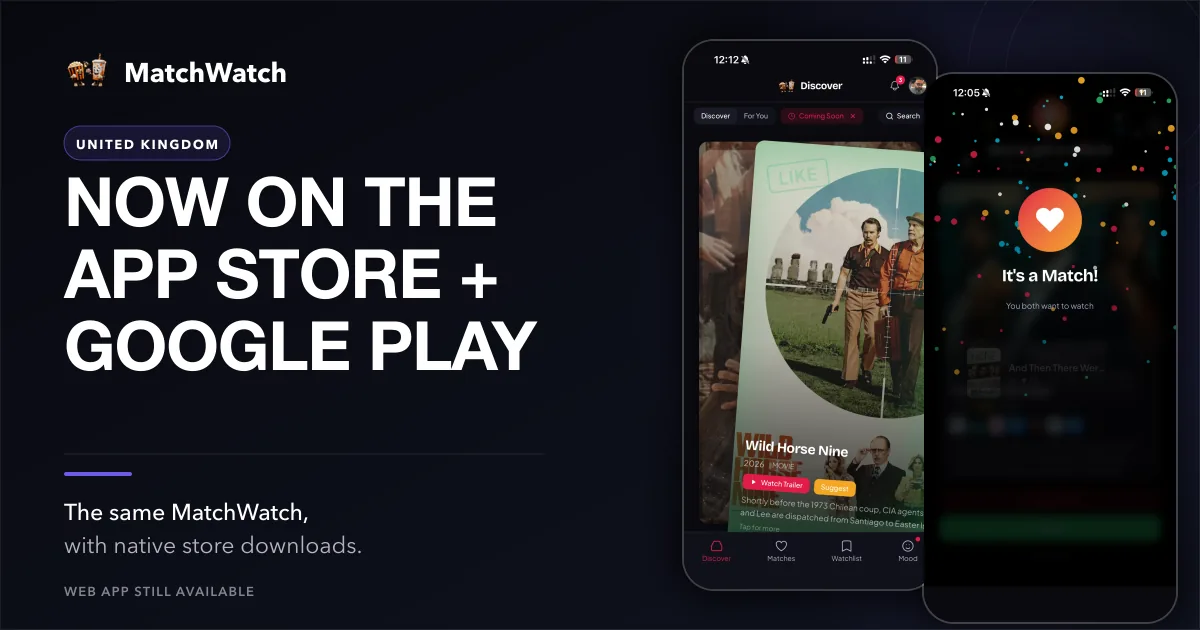
MatchWatch is now available through the App Store and Google Play in the United Kingdom, giving the person holding the phone another sensible way to settle the question before the snacks disappear. The responsive web app remains available on phones, alongside its installable progressive web app, for anyone who prefers a browser or a Home Screen shortcut. This is a store-distribution launch, not a claim that MatchWatch has only just become mobile. The point is choice: the same current product can meet the group on the device they already use around the sofa.
MatchWatch was released on Apple’s App Store on 17 August 2026. The current version is 1.0.1, updated on 18 August. The UK App Store listing is the direct route for iPhone and iPad. Android is available through Google Play under the public package tv.matchwatch.app. If you would rather leave it in a browser, the web app is still there. An install is useful for some people, not a test of commitment.
Choose the version that suits you
Use the App Store on iPhone or iPad, Google Play on Android, or the web app if that is how you prefer to keep things. MatchWatch is available on web, iPhone, iPad and Android. The route changes how you open it, not the group you join or the choices you have already made. That makes mixed households less fussy. A phone, tablet and browser can all be practical without turning the start of film night into an argument about which version counts.
For the practical steps, the UK getting-started guide starts with the current setup. For the reason behind the private swipes, the UK explanation of how MatchWatch works is a better read. It covers the small but important distinction between everyone naming a favourite and the group finding a title that enough people have quietly chosen.
Your group comes with you
The current sign-in options are Apple, Google or email. They take you back to the same account, group and matches across supported devices. Start on an Android phone while somebody is still on the bus, then open the web app on a laptop when the group is together. Use an iPad in the kitchen if that is where the chat happens. The continuity is simple: the account carries the group and its matches, rather than leaving them trapped on one device.
This is useful for flatmates, couples and families because it keeps the decision shared without making one person the operator. Create the group, send the invite, then let each person swipe privately from the device they already use. The match list can be the common ground. Nobody needs to hand their phone over, read a preference aloud, or defend why they skipped a three-hour historical drama on a weeknight.
Built for the streaming services you use
The current UK service roster in MatchWatch is Netflix, Disney+, Prime Video, Apple TV, NOW, BBC iPlayer, ITVX, Paramount+, Channel 4 and 5. The UK services overview records the regional setup that the product currently uses. Pick the services your household actually has before swiping. Rights, subscriptions and provider catalogues can move, so it is better to begin with your own current arrangement than treat any service list as a permanent guarantee about a particular title.
That choice makes the deck more relevant. A group that leans on BBC iPlayer, ITVX and Channel 4 can make that visible. A household with NOW and Apple TV can start there instead. The service selection does not decide taste for anybody. It simply stops the room spending time on options it cannot open, leaving the private swipes to answer the more awkward question of what people are actually willing to watch.
How to start a group
- Open MatchWatch on the web, from the App Store or from Google Play.
- Sign in with Apple, Google or email so the group is attached to your account.
- Create a group and share its invite with the people deciding with you.
- Select your services, swipe separately and check the group matches when everyone is ready.
Those four steps are meant to be enough for the first evening. You do not need matching phones, and nobody needs to switch away from the web app just because someone else installed the app. The account is the useful thread. Once the group is in place, each person can return on a supported device, make a private choice and see the same shared result when there is enough overlap.
What comes next
The current product remains deliberately practical: set the services you use, create the group, make private swipes, see the matches and make a final choice from what survives. The store release makes those existing tools easier to find on iPhone, iPad and Android. It does not retire the web app. If a browser is the better fit for your household, keep using it without installing anything.
A store listing is only a new front door. The point inside is still to spend less of the evening negotiating and more of it watching something the room has actually chosen. Start with the subscriptions you recognise, let everybody have their say in private, and see whether the overlapping picks can get the film on before someone suggests another half-hour of browsing as a serious option.